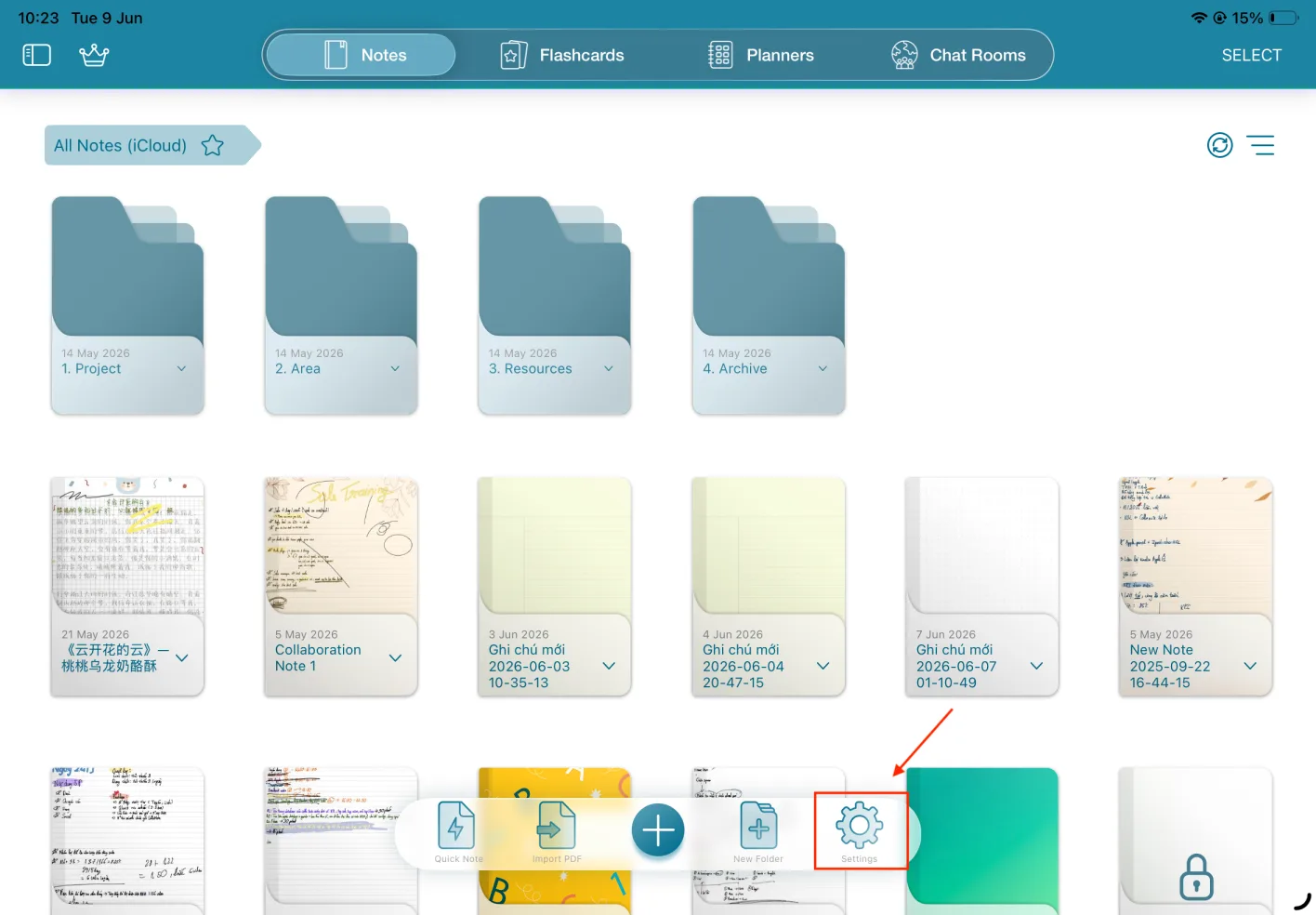
Step 1: Open the CollaNote app and go to Settings
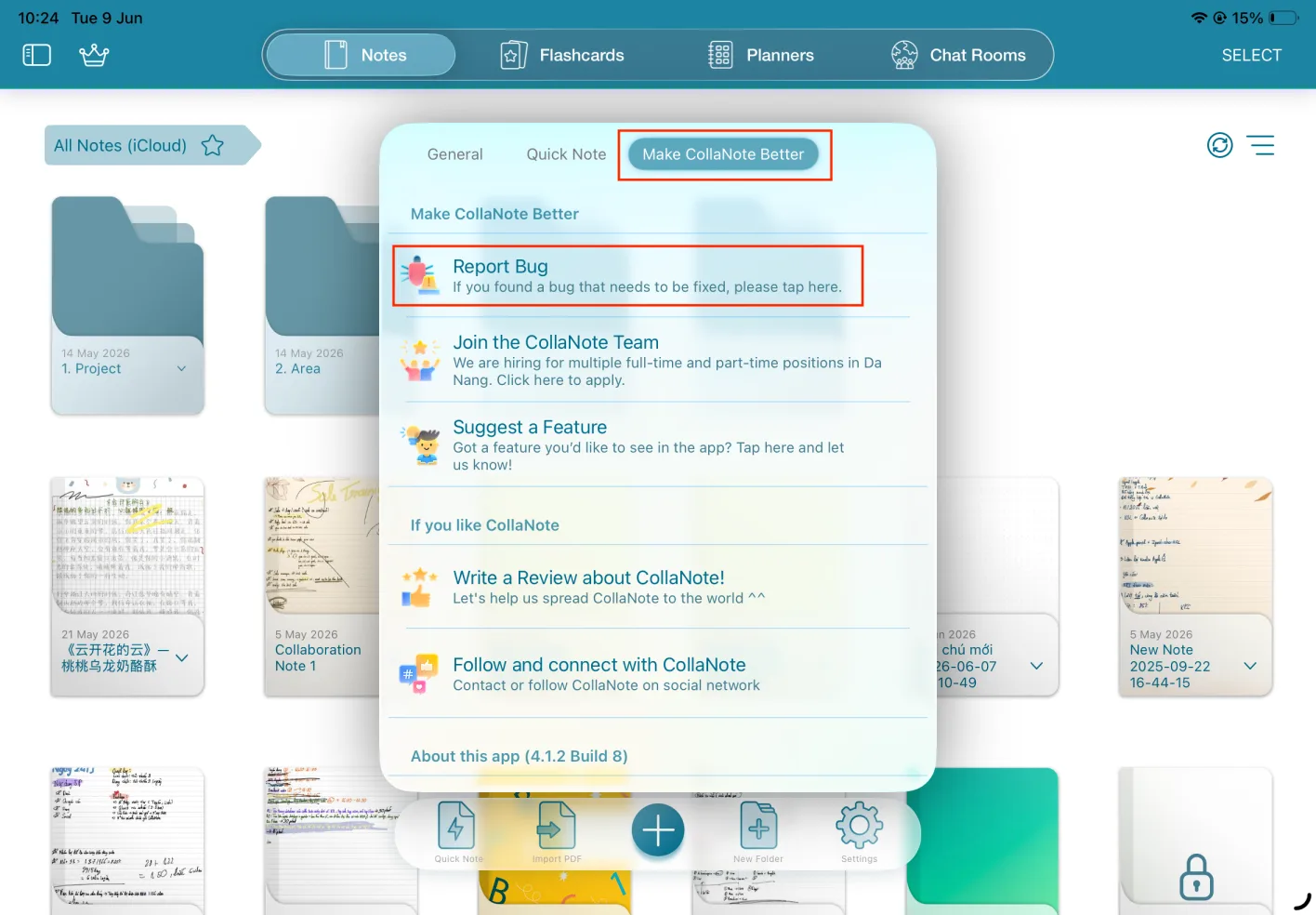
Step 2: Tap Make CollaNote Better, then select Report Bug
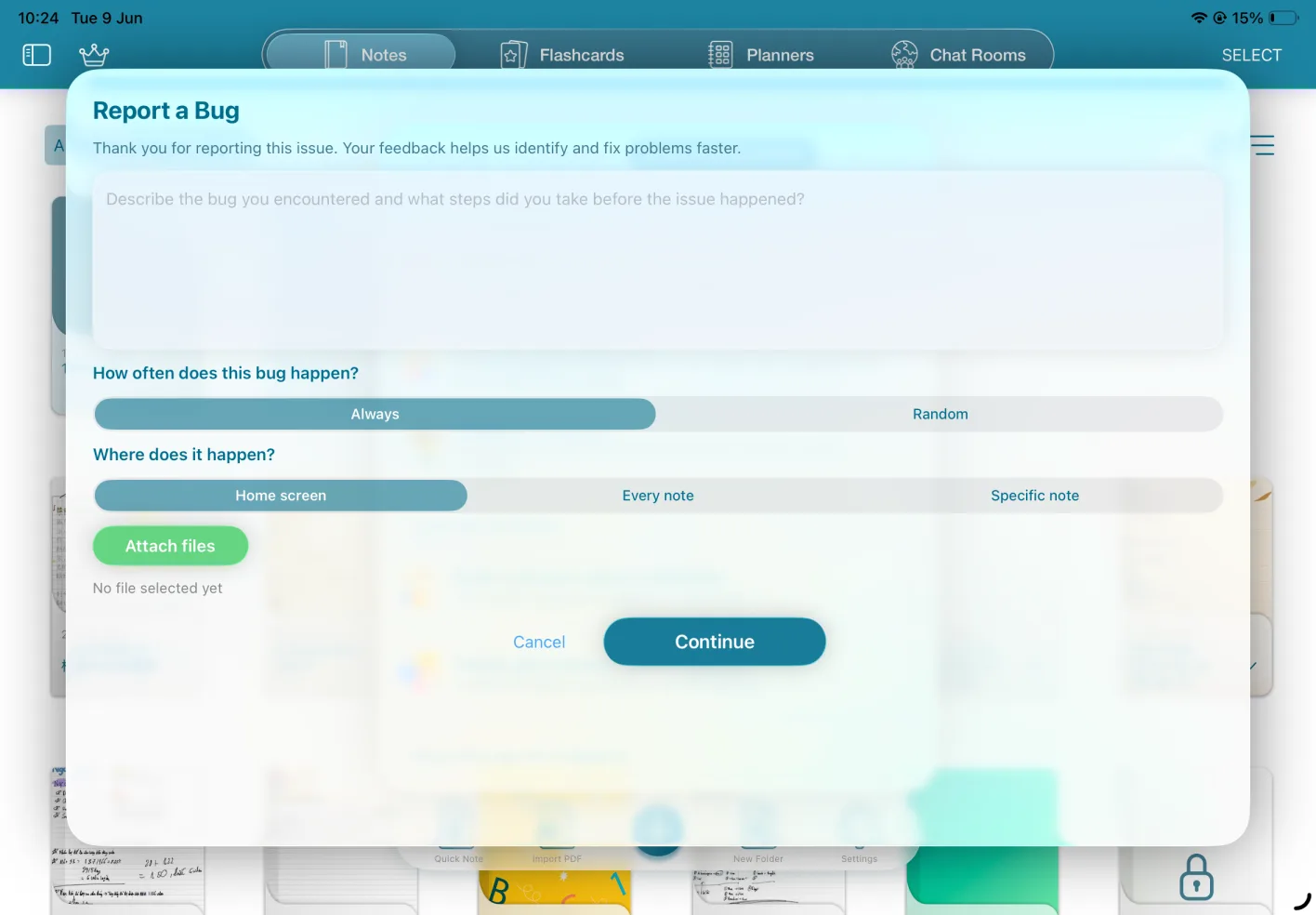
Step 3: Describe the bug
Complete the following information via email:
- Bug description: please describe the error you encountered accurately.
- How often does this bug happen?
- Where does it happen? Specify where the issue occurs, such as the home screen, every note, or a specific note.
- Attachments: attach as many files as possible so developers can respond quickly and fix the bug sooner. Include files such as videos, the affected .cnote file, or PDFs. When you report a bug from inside a note, that note file is attached automatically.
CollaNote uses Apple's Mail app to send bug reports to our developers. Before reporting a bug, please make sure you have signed in to a Mail account.
How to set up Apple Mail
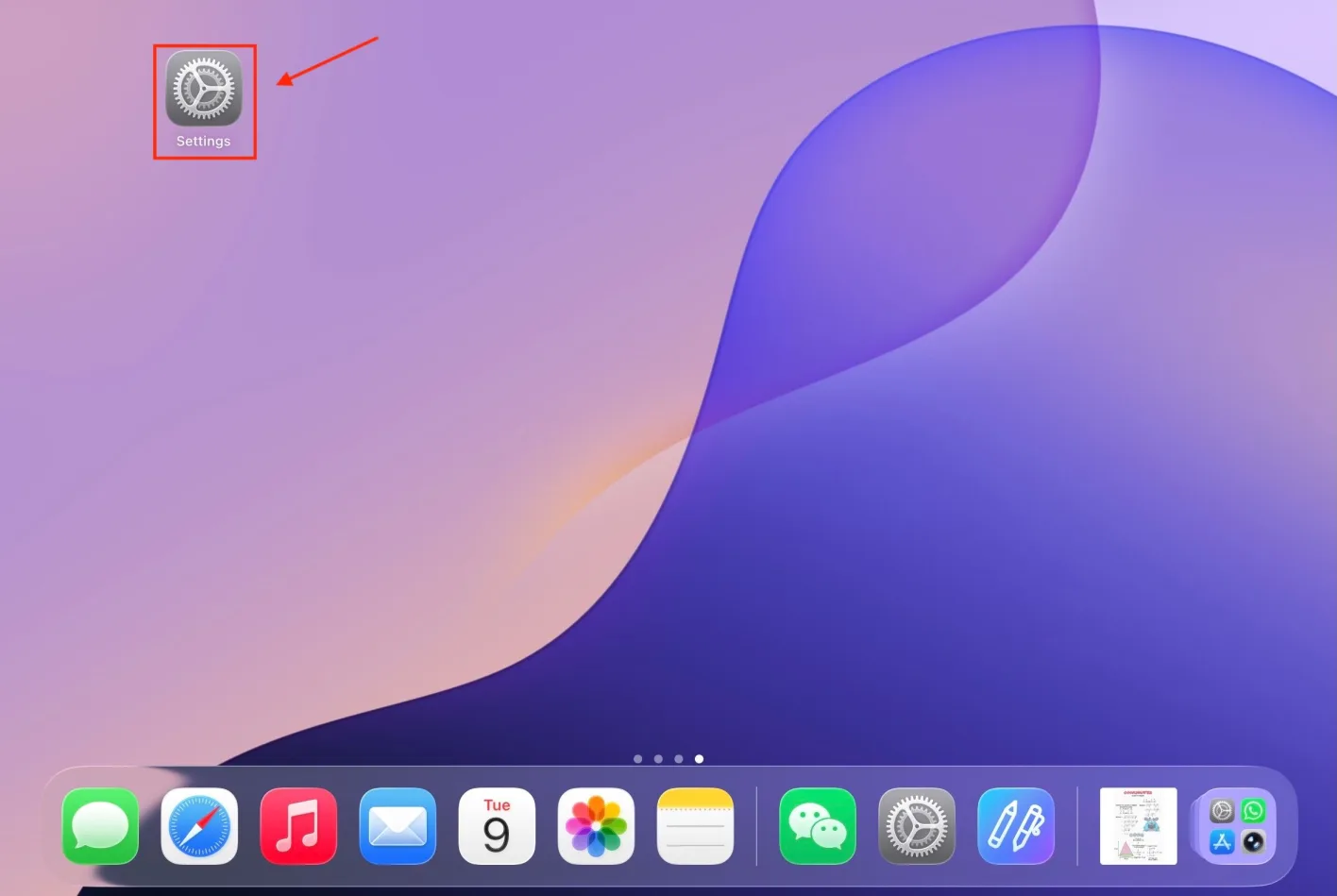
Step 1: Open Settings on your iPad
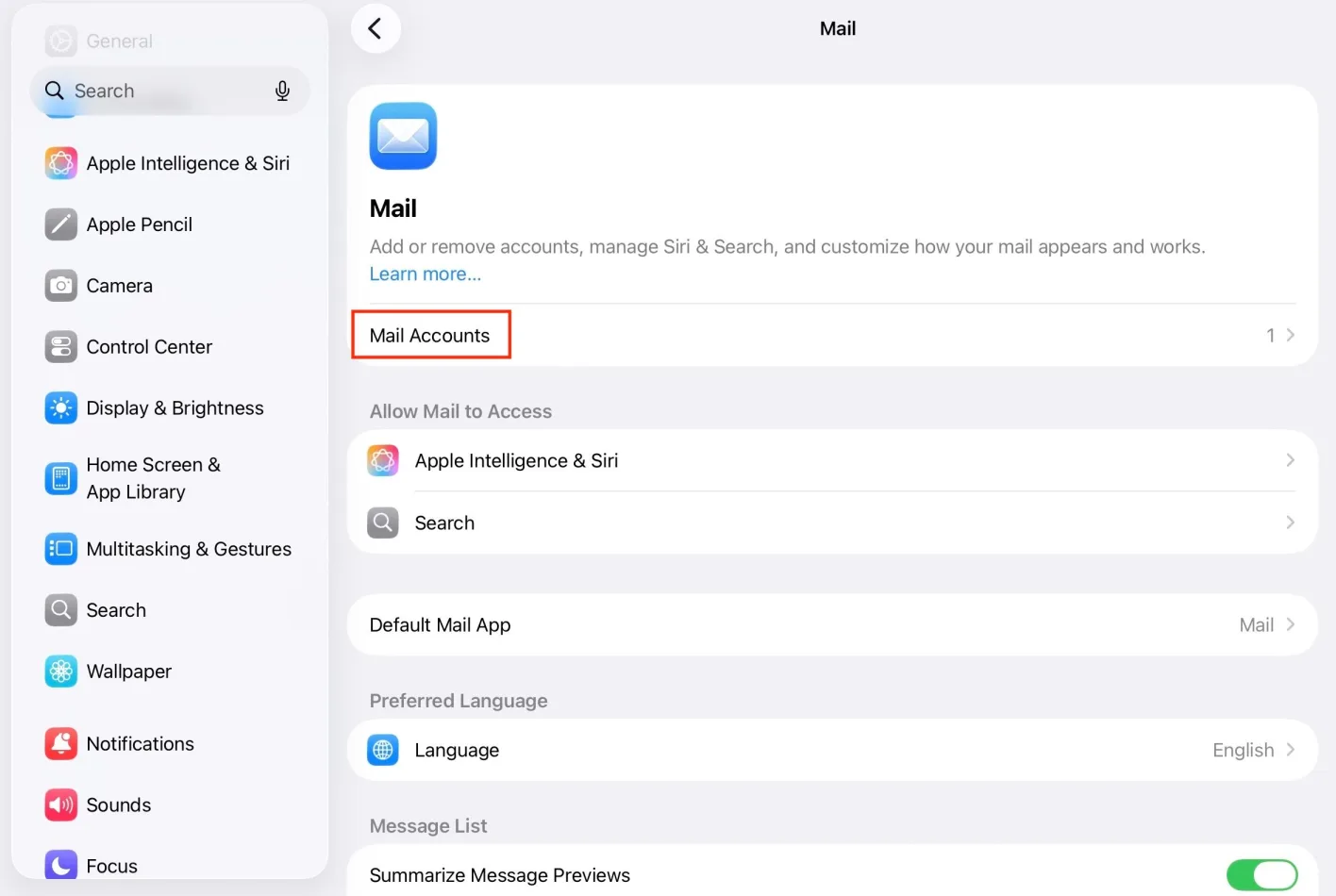
Step 2: Go to Mail → Mail Accounts → Add Account
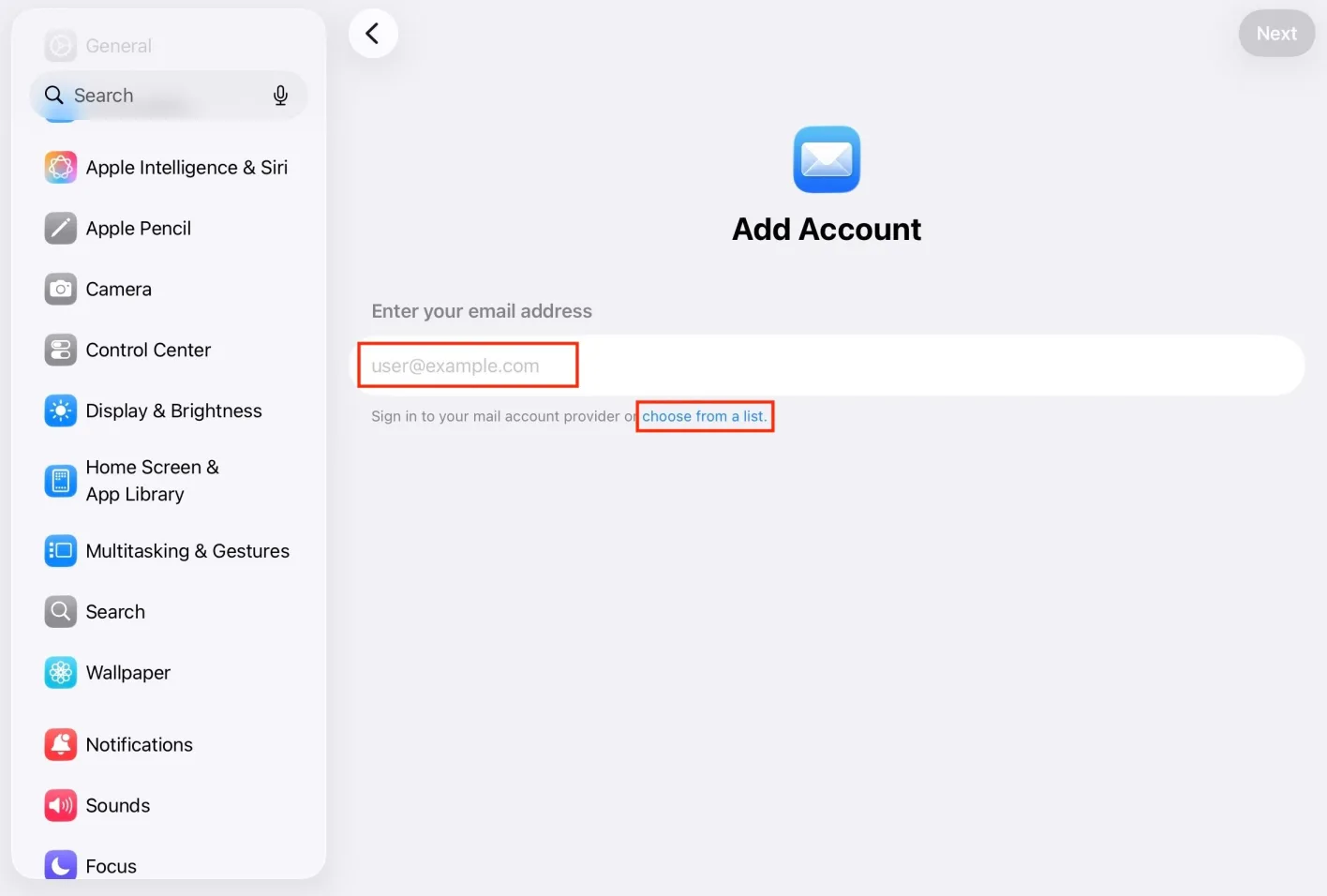
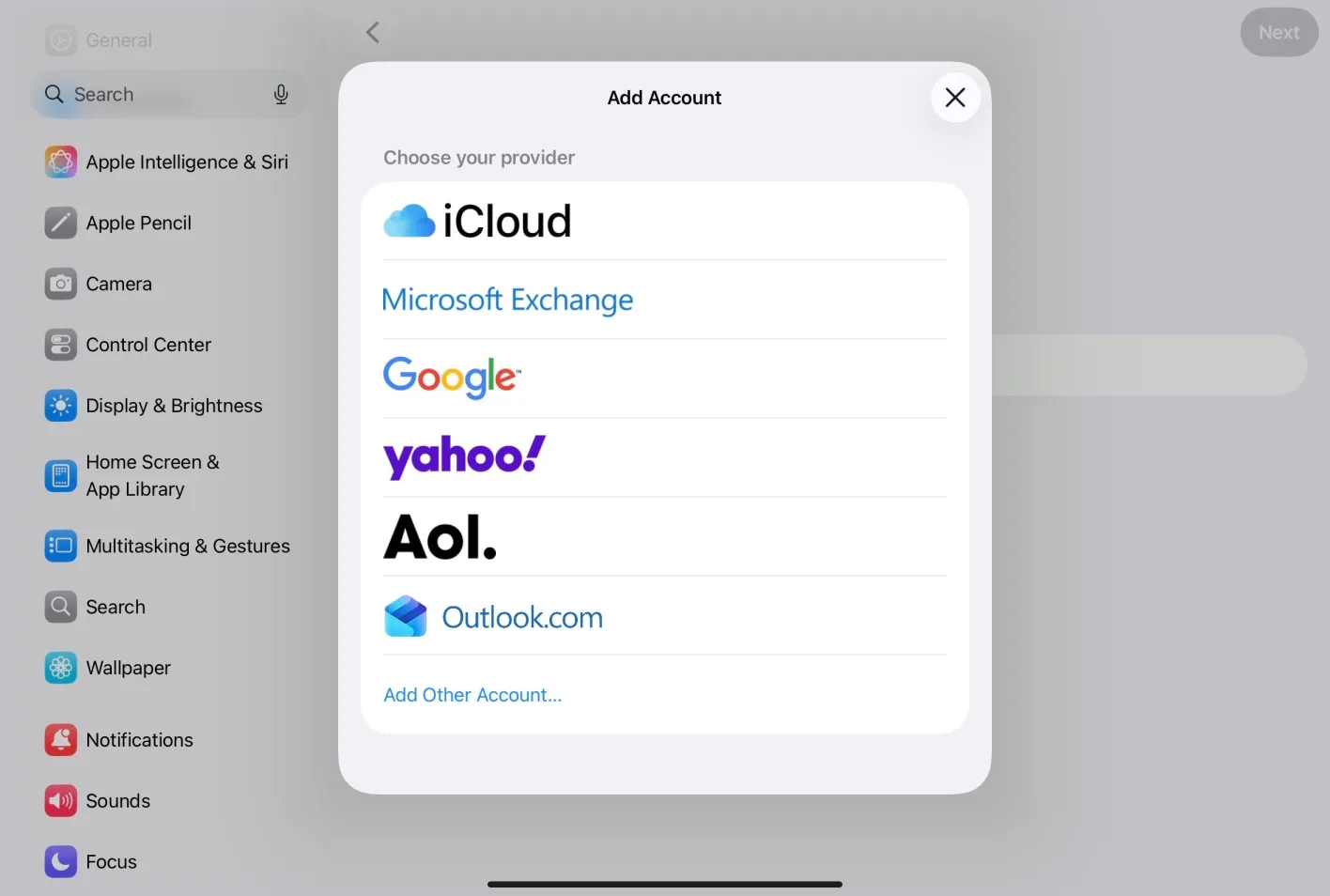
Step 3: Enter your email address, or choose your provider from the list
You can pick iCloud, Microsoft Exchange, Google, Yahoo, AOL, Outlook.com, or Add Other Account.
Step 4: Sign in with your email account and complete the setup
If your account is already shown in the Settings app on your iPad, you have signed in successfully.